Containerization-and-DevOps
Hands-on Task: Run and Manage a “Hello Web App” (httpd)
Objective
Deploy and manage a simple Apache-based web server and:
- verify it is running
- modify it
- scale it
- debug it
Submit it on GitHub Repo under Theory or Class folder and share its URL
Task: Deploy a Simple Web Application (Apache httpd)
You will run an Apache server instead of nginx.
Step 1: Run a Pod
kubectl run apache-pod --image=httpd

Check:
kubectl get pods
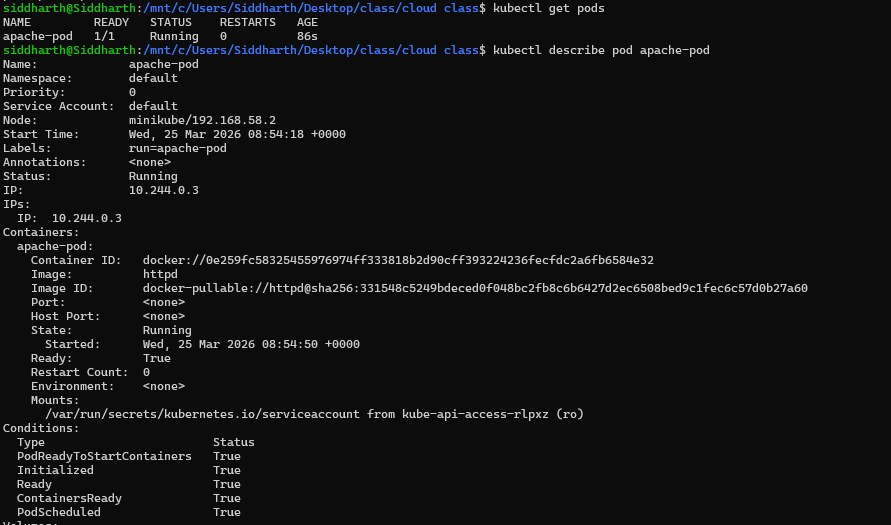
Step 2: Inspect Pod
kubectl describe pod apache-pod
Focus:
- container image =
httpd - ports (default 80)
- events
Step 3: Access the App
kubectl port-forward pod/apache-pod 8081:80

Open:
http://localhost:8081
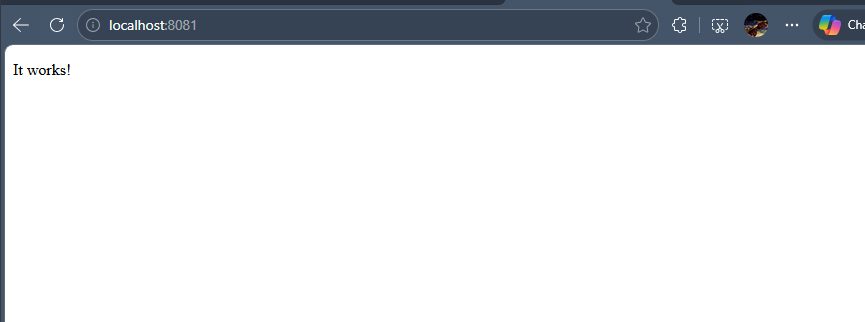
You should see: → Apache default page (“It works!”)
Step 4: Delete Pod
kubectl delete pod apache-pod

Insight
Same as before:
- Pod disappears permanently
- No self-healing
Task: Convert to Deployment
Step 5: Create Deployment
kubectl create deployment apache --image=httpd
Check:
kubectl get deployments
kubectl get pods

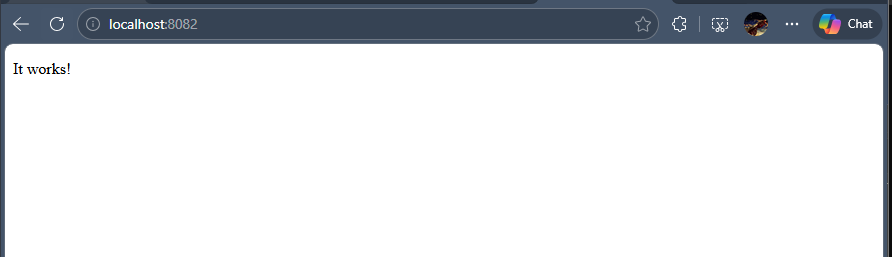
Step 6: Expose Deployment
kubectl expose deployment apache --port=80 --type=NodePort
Access again:
kubectl port-forward service/apache 8082:80

Open:
http://localhost:8082
Task: Modify Behavior
Step 7: Scale Deployment
kubectl scale deployment apache --replicas=2
Check:
kubectl get pods

Observe
- Multiple pods running same app
Step 8: Test Load Distribution (Basic)
Run port-forward again and refresh browser multiple times.
(Advanced later: logs + different content per pod)
Task: Debugging Scenario
Step 9: Break the App
kubectl set image deployment/apache httpd=wrongimage
Check:
kubectl get pods

Step 10: Diagnose
kubectl describe pod <pod-name>
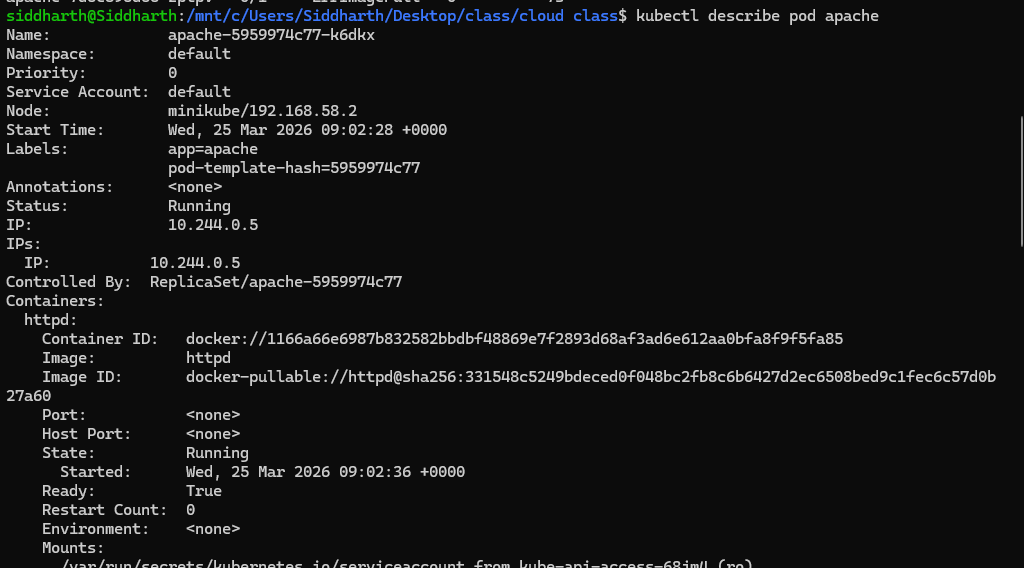
Look for:
ImagePullBackOff- error messages
Step 11: Fix It
kubectl set image deployment/apache httpd=httpd

Task: Explore Inside Container (Important Skill)
Step 12: Exec into Pod
kubectl exec -it <pod-name> -- /bin/bash
Now inside container:
ls /usr/local/apache2/htdocs

This is where web files are stored.
Exit:
exit
Task: Observe Self-Healing
Step 13: Delete One Pod
kubectl delete pod <one-pod-name>
Watch:
kubectl get pods -w
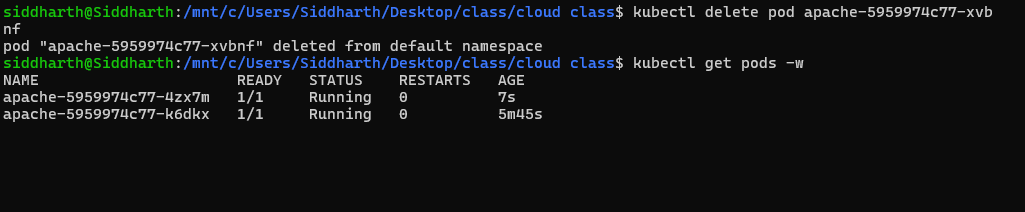
Insight
- Deployment recreates pod automatically
Task: Cleanup
kubectl delete deployment apache
kubectl delete service apache

What You Learned (Important)
This task is better than nginx because:
- You accessed actual web output
- You explored container filesystem
- You practiced debugging real errors
- You saw scaling + recovery